A Tour of My Homelab, Part The First: Why It Exists and What It’s Built On
It all started in 2009, when I bought a Drobo.
The Drobo was connected to my definitely-not-a-Hackintosh and contained a carefully curated collection of completely legitimate media filesLinux ISOs, which were being delivered by Serviio to my Panasonic Smart TV. It wasn’t elegant, but it worked. Mostly.
That was the whole setup: one slightly cursed desktop, one weird little storage cube, one TV, and some media server software that I am fairly sure was held together with good vibes and Java.
At the time, that felt like the dream. I could put files in one place and watch them somewhere else. Incredible. The future had arrived, and it was buffering in 720p.
Since then, things have spiralled a little. The Drobo became a dedicated NAS. The media server became Plex plus all the relevant *arrs. The standalone desktop became actual repurposed small form factor PCsdedicated servers. Then, blink and I almost missed it, the network became something that needed a diagram.
At some point there was internal DNS, certificates, and VLANs. Then monitoring, because apparently it is not enough for things to break. I needed a dashboard to tell me something was broken.
Eventually, the lab stopped being just the stuff in my house. Throw in an IRC bouncer, an application server, and a web server as well, because apparently the monster needed external limbs.
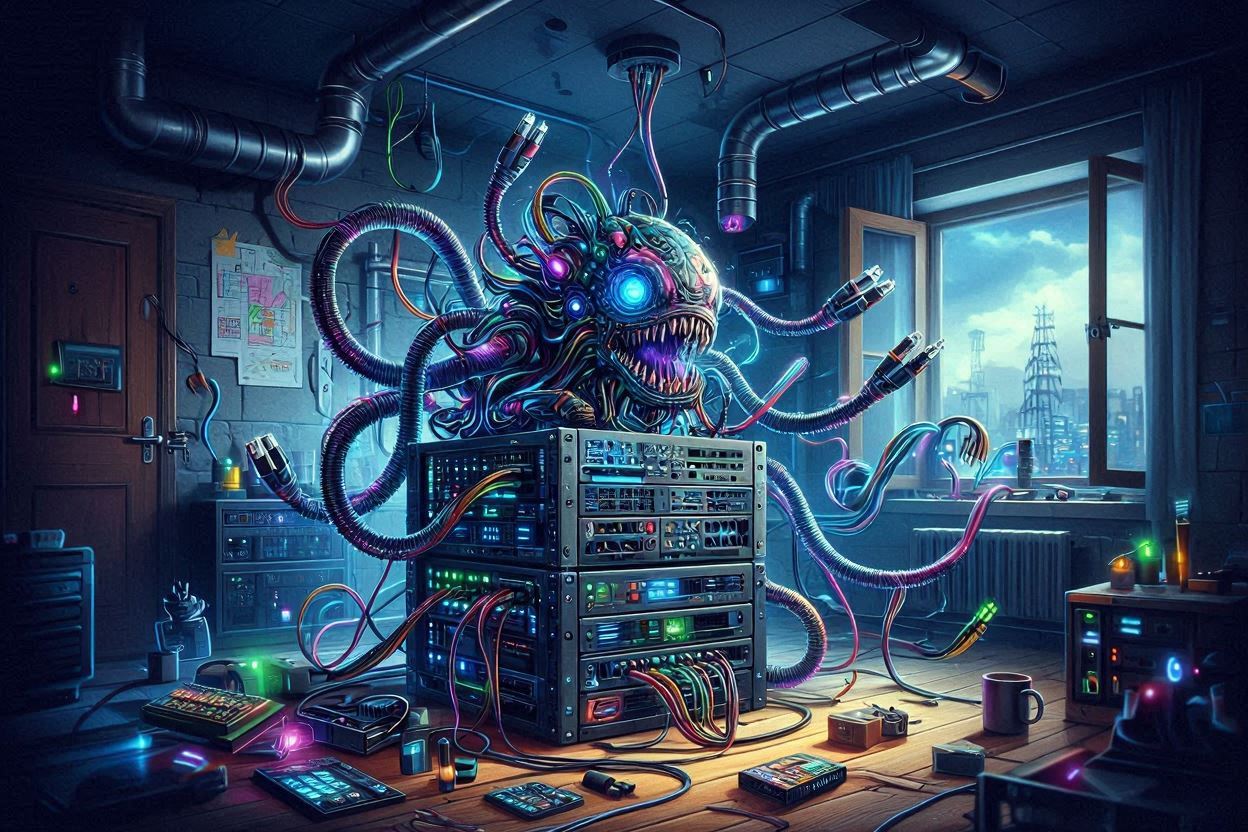
That is where the homelab became less of a cupboard full of computers and more of a demonic creature with multiple tentacles.
None of this was planned. There was no grand architecture. No design document. No carefully staged roadmap from “watching TV shows on an early 21st century flat screen” to “maintaining a distributed private infrastructure environment with identity, naming, trust, reverse proxies, backups, telephony, databases, and custom monitoring.”
It just happened. One server became several. One “the Wi-Fi is down” became “have you tried restarting the management plane?”
Network and physical layout
The lab has two broad halves: the stuff at home, and the stuff that lives elsewhere but still behaves like part of the same environment.
The home side is the core. That is where the router, switching, Wi-Fi, storage, servers, phones, and household-facing services live. It is the bit with cables, power, blinking lights, husband-acceptance factor, and the occasional ritual sacrifice to the networking gods.
The off-site side is a few servers and gateways that sit outside the house: public web hosting, application hosting, an IRC bouncer, and other bits that make more sense living somewhere else.
The glue is Tailscale for private connectivity, Active Directory-integrated DNS for naming, and a Certification Service for internal certificates. Together, those make the lab feel like one environment instead of a bunch of unrelated machines scattered around the place.
So when I talk about “the homelab”, I do not just mean the switch and a couple of computers at home. Home is the core site, but my infrastructure traverses far beyond the four walls of the house.
                                ┌────────────────────────┐
                                │       Tailscale        │
                                └───────────┬────────────┘
                                            │
        ┌───────────────────┬───────────────┴───────┬──────────────────────────────┐
        │                   │                       │                              │
        ▼                   ▼                       ▼                              ▼
┌─────────────────┐ ┌─────────────────┐ ┌───────────────────────────┐ ┌──────────────────────┐
│ Los Angeles     │ │ Brisbane        │ │ On-Prem                   │ │ Sydney               │
├─────────────────┤ ├─────────────────┤ ├───────────────────────────┤ ├──────────────────────┤
│ Status Page     │ │ ADFS            │ │ Network / Edge            │ │ Application Server   │
│ Exit Node       │ │ ZNC Bouncer     │ │ - UniFi                   │ │ - Docker Swarm       │
│ DNS             │ │ Exit Node       │ │ - cnMaestro               │ │ - Outline            │
└─────────────────┘ │ SQL Server      │ │ - Exit Node               │ │ - Zabbix             │
                    │ DNS             │ │                           │ │ - Plausible          │
                    │ Zabbix Proxy    │ │ Storage                   │ │ - Tomcat / Guacamole │
                    └─────────────────┘ │ - Synology                │ │                      │
                                        │                           │ │ Web Server           │
                                        │ Compute                   │ │ - Caddy              │
                                        │ - Hyper-V                 │ │ - PHP-FPM            │
                                        │ - Docker Swarm            │ └──────────────────────┘
                                        │ - Plex                    │
                                        │                           │
                                        │ Core Services             │
                                        │ - Active Directory        │
                                        │ - Certificate Services    │
                                        │ - Federation Services     │
                                        │                           │
                                        │ Databases                 │
                                        │ - SQL Server              │
                                        │ - PostgreSQL Cluster      │
                                        │                           │
                                        │ Operations / Home         │
                                        │ - Zabbix Proxy            │
                                        │ - Veeam                   │
                                        │ - SEPM                    │
                                        │ - Home Assistant          │
                                        │ - FreePBX                 │
                                        └───────────────────────────┘
The general shape
The easiest way to think about the lab is as a home core with a few external limbs.
The home core is where the boring-but-important things live. Internet comes in here. Switching happens here. Wi-Fi happens here. Storage lives here. Most of the physical servers are here. This is the bit that has to keep working if someone wants to watch TV, use the internet, make a phone call, or avoid me hearing “WHAT DID YOU DO TO THE INTERNET” from the other room.
The off-site bits are slightly more interesting. They exist because not everything makes sense sitting behind my home internet connection. Public web hosting is better off elsewhere, as is stuff that needs a higher level of uptime or connectivity.
They are not really separate – they are part of the same environment. Tailscale gives those systems private reachability. Active Directory-integrated DNS gives them names that fit into the rest of the lab. AD CS gives internal services certificates that the machines I control actually trust. Zabbix keeps an eye on the whole mess and complains when I break something.
What’s on prem
The on-prem bit is the part that looks most like a traditional homelab: router, switch, Wi-Fi, storage, servers, phones, and the small collection of devices that have somehow become infrastructure.
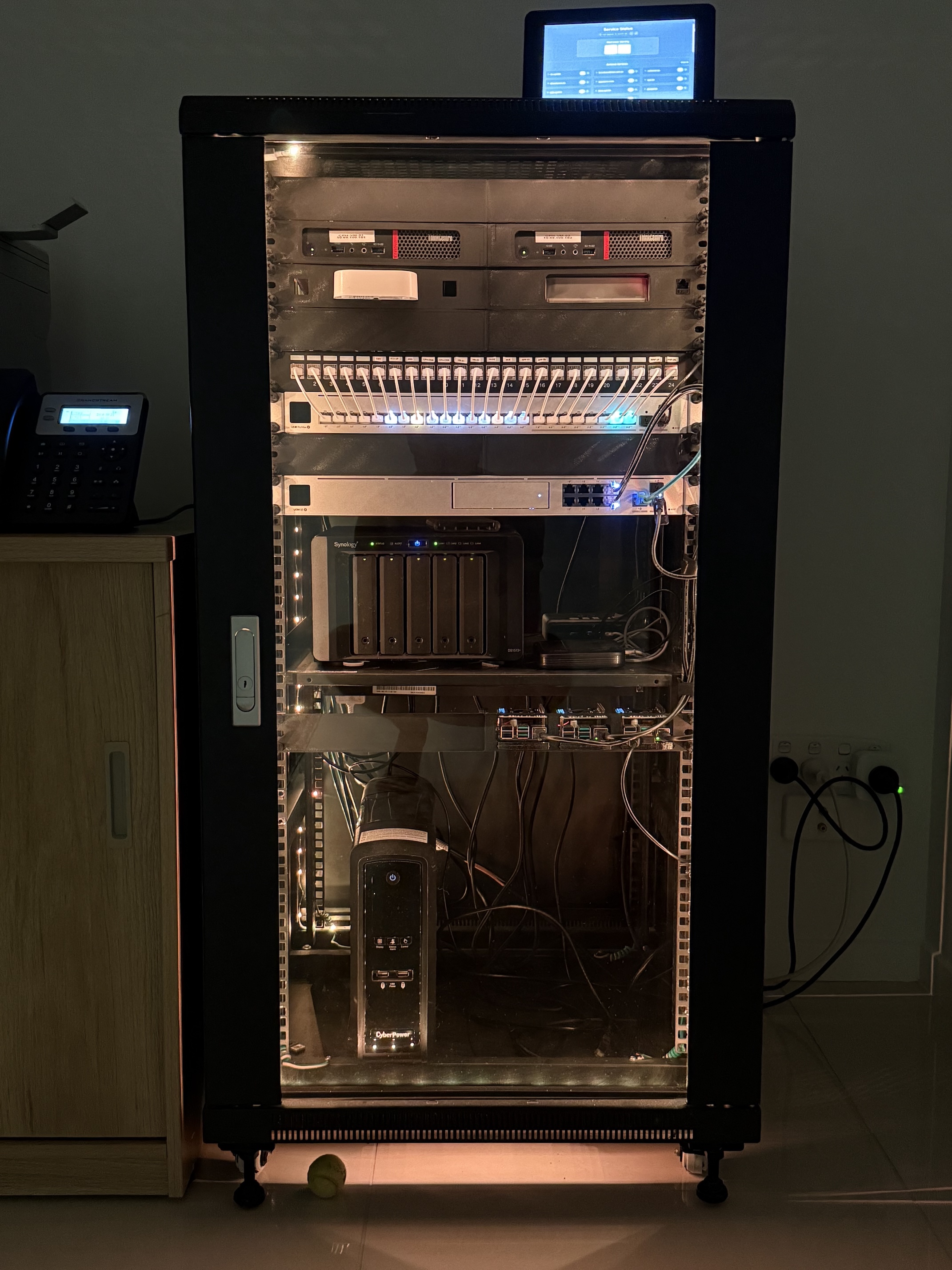
At the edge is a UniFi Dream Machine SE. It handles the internet connection, routing, firewalling, VLANs, and the general business of pretending the rest of the house is not a pile of increasingly specific exceptions. The main connection is NBN via HFC, with a mobile data connection available as a backup path, because apparently at some point I decided the the house needed redundant internet, like a tiny cursed branch office.
Beyond that is a Ubiquiti Pro 24 PoE switch, replacing the previous Cisco Catalyst 2960X-24PS-L POE jet engine. Swapping the Cisco out is one of those changes that made working from home feel less like working from right next to a runway. It powers the bits that need powering, keeps the wired network tidy, and does so without making the room sound like it is preparing for takeoff.
Wireless is handled by Cambium access points. They are not especially exciting, partly because they came from an ex-government sale, and partly because that is exactly what I wanted from wireless. Wi-Fi should be boring. It should exist. I should not be subject to abuse because it is not working.
Storage is handled by the Synology DiskStation 1513+, which is the spiritual successor to the original Drobo that started everything, except potentially less cursed. That said, it is now thirteen years old and probably on its fifth round of hard disks, so maybe it has ghosts after all. It provides central storage – everything has some kind of data stored there, be it backups, configuration files or a home directory. It is very important but arguably the oldest part of the current lab and probably my next target for tech refresh… if only spinning rust wasn’t so expensive.
The compute side is a mix of dedicated servers and Raspberry Pis. This is where a lot of the core internal services live: domain controllers, DNS, certificate services, single sign-on federation, monitoring, and application services. Throw in some things that started as experiments and somehow became load-bearing like a Home Assistant Yellow and the rack starts to look kind of full.
There is also a phone system, because apparently I was left unsupervised. FreePBX handles the telephony side, with a SIP trunk, desk phones, Wi-Fi handsets and paging (because god forbid we have to yell at each other from one end of the house to the other). Some of this is practical, but some of it is because making the house let me know when the washing machine finishes is kind of fun. Both are valid design requirements.
Power and resilience are handled in the usual homelab way: enough UPS-backed gear to keep the important bits alive, enough monitoring to know when something is unhappy, and enough hope to bridge the gap between the two. NUT keeps an eye on the UPS side of things, and Zabbix keeps an eye on everything else, because if something is going to die I want to know before I get yelled at.
The off-site bits
The off-site side of the lab is where things get a bit more distributed, mostly on purpose: there are a few machines that do not live in the house but are still absolutely part of the same environment.
The Sydney web and application servers live in Oracle Cloud, on the free tier. For the extremely reasonable price of nothing, Oracle will let me run actual useful infrastructure: 24 cores for zero dollars. My public web server and application server fit very nicely there, especially when the alternative is running every public-facing thing through the home internet connection like a neophyte.
The web server generally reverse proxies back to the application server, which gives me a nice separation of duties and theoretically reduces my attack surface. “Theoretically” is doing some work there, but the design is sound enough.
Then there are the gateway boxes.
One of them lives in Los Angeles on the cheapest VPS I could find on Ozbargain. Its job is not to be powerful or glamorous. Its job is to be elsewhere. It runs a Tailscale exit node (so I can cosplay an American), and hosts a status page that is deliberately as far away from the main infrastructure core as possible.
All of my Brisbane infrastructure is hosted by Binary Lane who are one of those providers that feel like they have been quietly doing good work forever. There is a Brisbane gateway that handles DNS for the off-prem side, acts as a Zabbix proxy for off-site monitoring, and also runs a Tailscale exit node. It is less of an application server and more of a small infrastructure outpost. There’s also an IRC bouncer, because of course there is. It has apparently been doing that job since at least 2019-03-30 11:23:21, which is the timestamp of the first IRC log I have saved.
There is also an off-site SQL Server box. That is the primary database for off-site things that can use it, which means not every application workload has to drag its data back through the home network. It gives the external side of the lab somewhere sensible to put data without making the house the centre of absolutely everything.
The important bit is how these machines are tied back together.
Tailscale gives them private connectivity. Active Directory-integrated DNS gives them names that make sense. AD CS gives them certificates that fit the rest of the lab. Zabbix watches the whole thing and complains when one of the tentacles starts making unhappy noises.
So while the home network is the brain and body, the off-site machines are the tentacles: public hosting, application hosting, gateways, monitoring vantage points, DNS, IRC, database services, and a status page that is intentionally sitting far enough away to be useful when the rest of the monster starts smoking.
How does it all gel together? Well. I’ll save that for next time.